Free Chrome extension
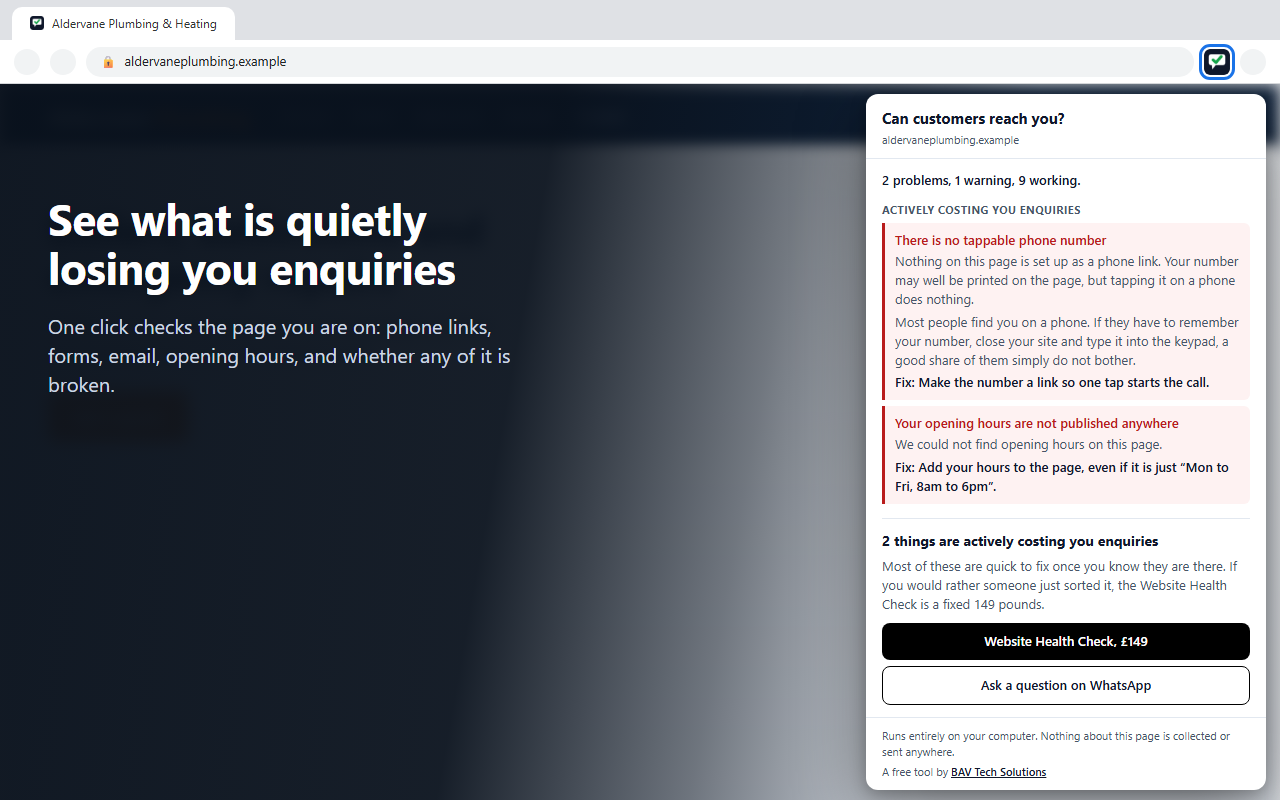
Our free contact checker as a Chrome extension. Open any business website, click the icon, and see in seconds whether a customer could actually get hold of that business, in plain English, with what each fault is likely costing.
The web version fetches a site from our server, which means it sees the page the way a crawler does. The extension reads the page in your own browser, fully rendered, so it also sees everything JavaScript adds, works on pages that block automated checkers, and never times out. It is the only version that can measure the phone-screen view and compare what you see against what machines see.
Phone number and address checks are designed for UK formats. On a site that is clearly not British, those checks step aside rather than report faults that are not really there.
The extension collects nothing, stores nothing and transmits nothing. No analytics, no history of what you have checked, no account. It runs only when you click the icon, and only on the page you are looking at. It asks for the two narrowest permissions Chrome offers, which is why installing it shows no scary warnings.
The full policy is one page with no surprises: extension privacy policy.
Yes, with no locked features. If the check finds problems, the results include a link to our paid website review service. Using it is entirely optional and the full results are shown either way.
That is the best use for it. Open your own site, click the icon, and you will see exactly what a customer, and Google, can and cannot find. Most owners find at least one thing they did not know was broken.
Partly. The form, email, messaging, markup and machine-view checks work anywhere. Phone number and address validation is UK-specific, and on a clearly non-UK site those checks are set aside with an honest note instead of false alarms.
Because the rendered page is the truth. Server-side checkers see the raw code before JavaScript runs and get blocked by bot protection. Running in your browser, the extension sees the page exactly as a visitor does.
Takes under a minute: install, open your site, click the icon.
Add to Chrome, free